Frequently Asked Questions
At what point in the video detection should I begin/end the annotation of a fish?
The annotation should begin when enough of the fish’s head is present to receive a confident ID. The annotation should end once the tail is all that is left in the box.
What is the protocol when two or more fish are overlapping in the same frame?
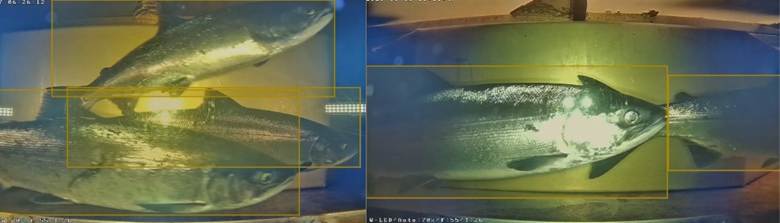
When multiple fish are overlapping it is important to capture the visible part of the individual and not infer where the rest of the fish might be if it is blocked.
- It is good practice to avoid too much overlap between bounding boxes, however this is not completely avoidable. It is best to avoid including the eye and most of the head of a non-targeted fish in overlapping bounding boxes.
- If a fish passes out of sight and then reappears, utilize the toggle interpolation function to avoid inferring where the fish might be. When the fish reappears, simply click the frame in that fish’s timeline where it reappears and use the toggle keypoint to add a new keypoint matching the frame and location where the fish reappears. Use the toggle interpolation button to ensure that the box persists beyond the frame where the keypoint was added, and advance the video moving the bounding box to track the reappeared fish.
What do I do if I cannot identify a species passing through the video box?
- Refer to the SalmonVision Species Guide
- If you can still not identify the species, you can draw a “blank” bounding box
- This is done by drawing a bounding box prior to selecting a species class. Once the species is selected for an annotation you cannot select “no label” — this can only be done prior to selecting a species class, or by deselecting the current species class by clicking on the species label at the top of the screen.
What do I do if the video freezes/skips forward and fish are now present or absent?
When the first frame of a fish appears and it is past the midline:
If it is clear that the fish is moving in an upstream direction, draw an initial bounding box on the downstream side of the midline. In the second frame, you can accurately track the fish. This allows for an accurate count by accounting for the movement of the fish across the centerline.
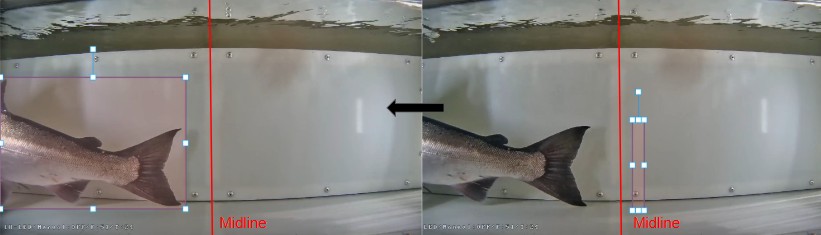
When the final frame of a fish occurs prior to crossing the midline:
If you have confidence the fish continues to move in an upstream direction, draw a very small bounding box on the upstream side of the midline. This will allow for a positive count.
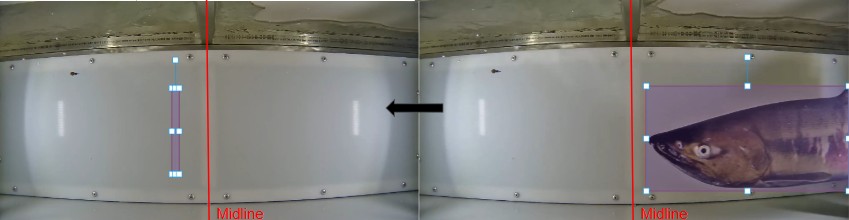
Note: Most cameras include a time (hour:minute:second) displayed on the video. Watching this while the video is clipping can help inform the duration of time that was skipped. This information might help you judge whether fish that are appearing and disappearing are the same or different individuals.
These issues of video skipping (clipping) have been addressed in the underlying issue in the motion detection algorithm. Updates to the motion detection script and lab testing has indicated that these issues have been resolved. Please notify the Salmon Vision team if you are experiencing clipping in videos during review.
Why is my screen appearing pixelated and is not revealing the entire video?
This is likely due to an internet-related bandwidth issue. Try and connect to a different internet source if possible.
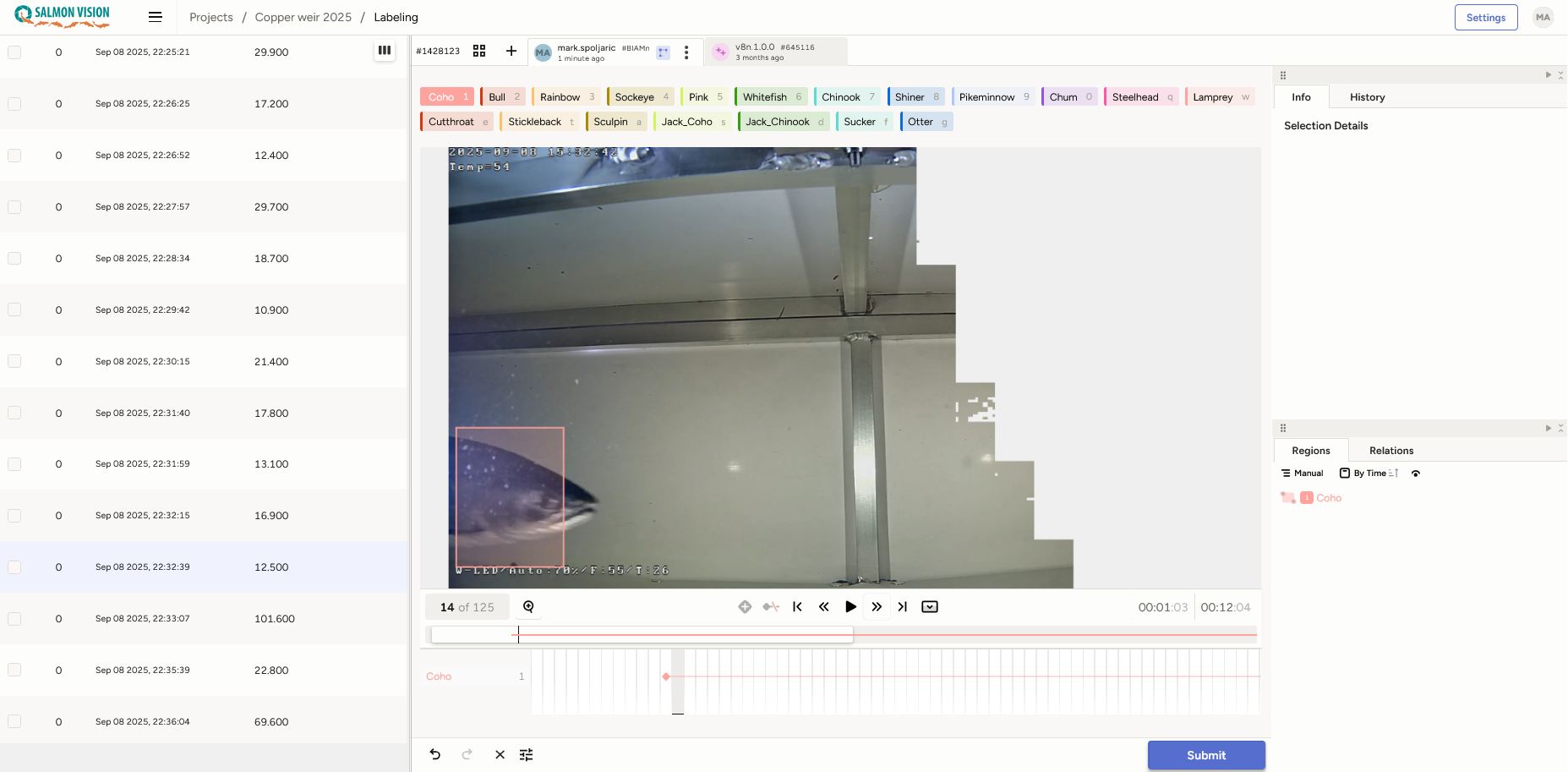
Why am I receiving a “Runtime Error”?
When adjusting your filters, if you have selected “Recorded at” instead of “Video recorded at (UTC, sortable)” you will receive a runtime error, or an error message indicating that blank spaces are not acceptable within a data table in Label Studio.