Project Page
The landing page shows an overview of the different projects under your organization. Let’s focus on the project titled Copper weir 2025.
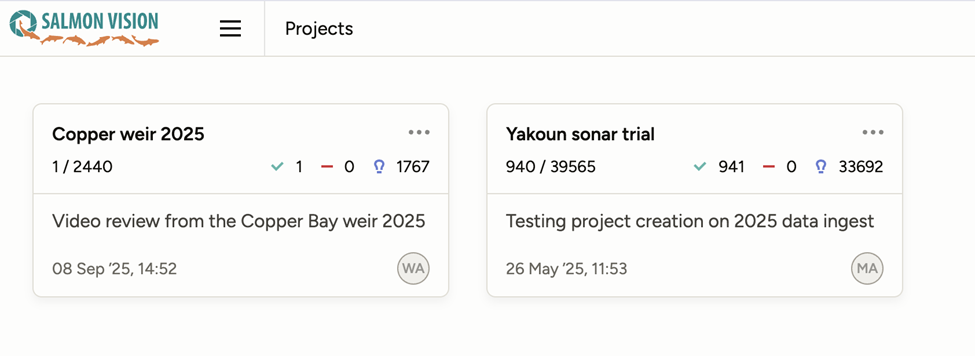
1/2440 indicates that 1 out of the 2440 tasks (RGB videos in this case) have been reviewed.
The number behind the green tick mark indicates the total number of reviews (e.g. if a video has been reviewed twice), and the number associated with the light bulb icon is the total number of videos that includes at least one detection of some object class.
Click on the project name to enter into the project, and view the videos contained within it.