Review Session Outlined
This is a step-by-step visual guide on how to conduct a review session.
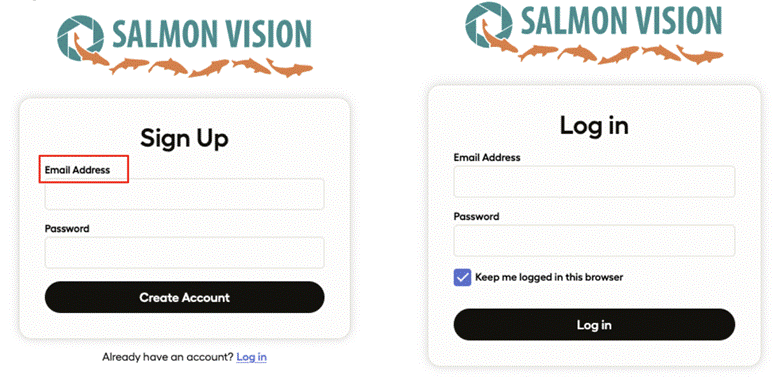
Login
A unique login is required for each organization. When switching between organizations, you must log out prior to signing in with the unique login. Under email address, create a username (a real email is not required).
Choose Project
Select one of the available projects. In this case the Koeye Jetson-1 2025 with 63,860 video clips.

Review Panel
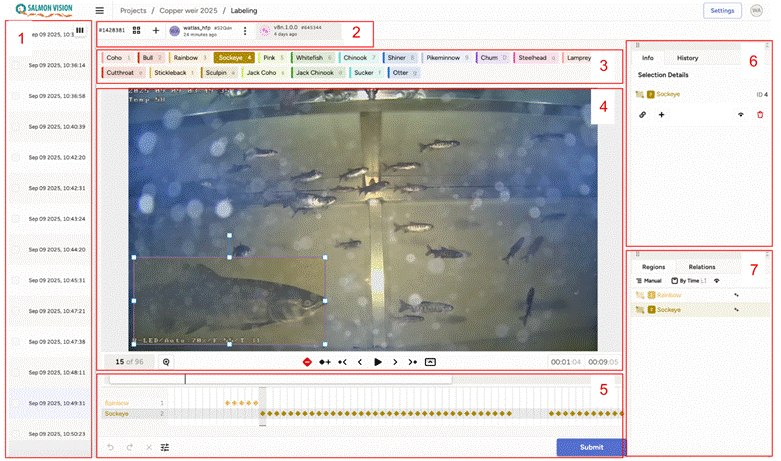
You will see the review panel which provides an overview of videos on the left which can be selected for review. There are several ways to select videos which have not been reviewed:
- You can show the annotations column by expanding the size of the panel
- Filter videos using annotations = 0
Video Workflow Review
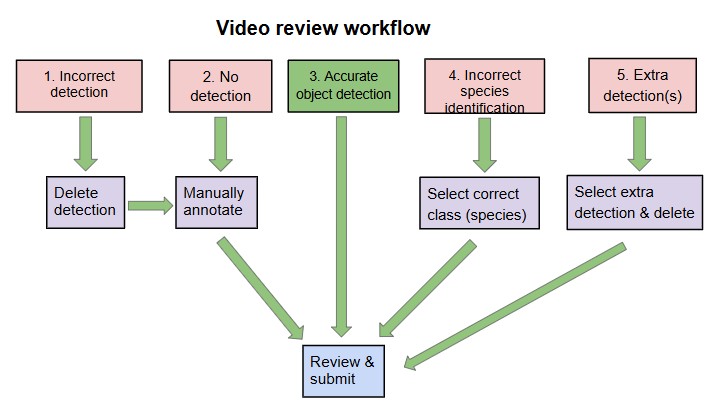
Once starting the review process of a clip annotated by the AI algorithm, there are five different likely (though not exclusively) scenarios. Each is covered in detail on its own page:
- Incorrect detection
- No detection
- Accurate identification
- Incorrect species identification
- Extra annotations